
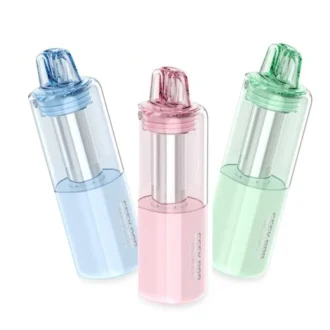

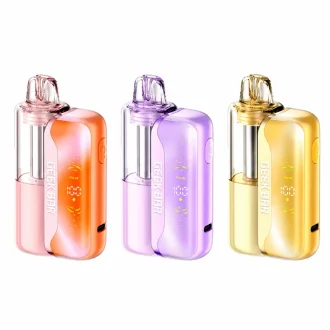

The Geek Bar Mate 60K is a two-part disposable: a rechargeable base plus a replaceable, pre-filled pod with up to 60,000 puffs. Keep the base, swap the pod — it’s one of the most cost-effective options in the Geek Bar range.
First time? Start with the Mate 60K Kit, then buy replacement pods when it runs out.
Kit or Pod: Which Do You Need?
| What’s included | Buy this if… | |
|---|---|---|
| Mate 60K Kit | Rechargeable base + one pre-filled pod | It’s your first Geek Bar Mate |
| Mate 60K Pod | One pre-filled replacement pod — requires the kit | You already own the base |
Because you keep the base, each replacement pod costs less than a new kit.
Geek Bar Mate 60K Specs
| Design | Two-part: rechargeable base + replaceable pod with a visible tank |
| Puffs | Up to 60,000 in Regular Mode; up to 30,000 in the high-power mode |
| E-liquid | 15ml pre-filled |
| Nicotine | 5% (50mg) |
| Coil | Dual mesh |
| Airflow | Adjustable |
| Charging | USB-C |
Puff counts are measured with short, even draws. The high-power mode gives a stronger hit but uses e-liquid faster, which is why its puff count is lower.
How to Use the Geek Bar Mate
- Attach the pod to the base before first use.
- Draw to vape — no button needed.
- Recharge the base over USB-C when the battery runs low.
- Swap in a new pod when the e-liquid runs out. You can also switch pods to change flavors.
Geek Bar Mate vs Other Geek Bars
Choosing between the Mate and a one-piece Geek Bar? The Mate is the more economical choice for regular vapers, since you only replace the pod. Read our full comparison: Geek Bar Mate 60K vs Pulse X 25K.
- Prefer a one-piece disposable? See the Geek Bar Pulse range.
- Another two-part Geek Bar: the Geek Bar Clio Platinum 50K.
- Compare other two-part systems on our disposable pod vapes page.
Frequently Asked Questions
What is the Geek Bar Mate?
The Geek Bar Mate 60K is a two-part disposable with a rechargeable base and replaceable pre-filled pods. Each pod offers up to 60,000 puffs at 5% nicotine.
Does the Geek Bar Mate pod work without the kit?
The replacement pod is designed to be used with the Mate base, which comes with the kit. Buy the kit first, then replacement pods.
How many puffs does the Geek Bar Mate have?
Up to 60,000 puffs per pod in Regular Mode, and up to 30,000 in the high-power mode.
How do you charge a Geek Bar Mate?
Charge the base with a USB-C cable when the battery runs low.