


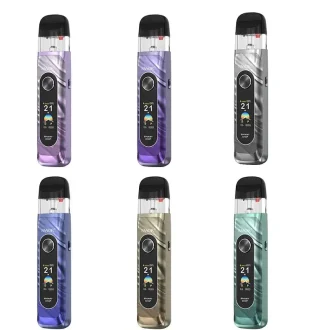
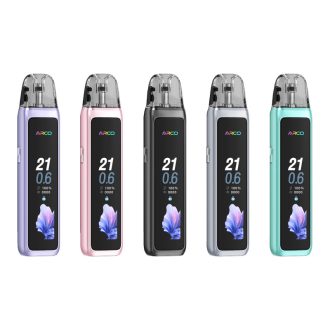
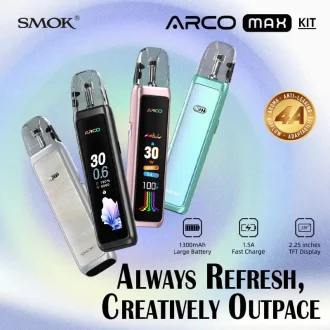
Welcome to the official home of the SMOK Novo Series, the world’s most iconic pod system family. Whether you are looking for the latest Novo 6 Ultra, the versatile Novo 5, or the classic Novo 2, we provide 100% authentic devices directly from the source.
Which SMOK Novo is Right for You?
With so many versions, choosing the perfect pod can be tricky. Here is our expert breakdown based on your vaping style:
-
The Powerhouse: SMOK Novo 6 Ultra & Novo 5
Best for vapers who want control. Featuring adjustable wattage (up to 40W) and a crisp OLED screen, these models allow you to fine-tune your throat hit and cloud production.
-
The Style Icon: Novo Classy & Novo 4
Perfect for those who value aesthetics without sacrificing performance. The Novo Classy offers a premium finish, while the Novo 4 remains a fan favorite for its precise airflow adjustment ring.
-
Simple & Reliable: Novo Eco & Novo 2C
Ideal for beginners or those switching from disposables. No buttons, no settings—just draw and vape.
SMOK Novo Series Comparison Table
| Model | Max Wattage | Battery Capacity | Airflow Control | Best For |
| Novo 6 Ultra | 40W | 1000mAh | Yes (Stepless) | Advanced Users |
| Novo 5 | 30W | 900mAh | Yes (Ring) | Flavor Chasers |
| Novo GT | 25W | 1000mAh | Yes | Daily Commute |
| Novo 2C | 22W | 800mAh | No | Beginners |
Essential Tips: How to Use & Fix Your Novo
We’ve analyzed the most common questions from the SMOK community to help you maintain your device.
How to Fill a SMOK Novo Pod?
-
Pull the pod out of the device.
-
Locate the silicone stopper on the side (or top, depending on the model).
-
Insert your E-liquid bottle tip and fill to about 80% capacity (to avoid leaking).
-
Crucial: Wait 5-10 minutes for the coil to prime before your first puff to prevent burning.
SMOK Novo 2 Blinking 4 Times? (How to Fix)
If your device is flashing 4 times, it usually indicates a Short Circuit Protection or a Connection Issue. Try these steps:
-
Clean the Pins: Use a cotton swab with a little rubbing alcohol to clean the gold contact pins inside the device and under the pod.
-
Check the Pod: Ensure the pod is pushed all the way in. If it still blinks, try a new replacement pod.
-
Avoid Over-tightening: If you are using a Novo 4, ensure the coil is seated correctly in the pod.
How to Change Wattage on Novo 5?
To adjust your power settings, quickly press the activation button 3 times. The wattage value will begin to flash. Click or hold the button to reach your desired level, then wait for it to stop flashing to lock it in.
Why Shop With Us?
As specialists in the vaping industry, we ensure every SMOK Novo Kit and Replacement Pod we sell is 100% genuine. From the classic carbon fiber textures to the latest metallic gradients, we stock the full range of colors and accessories to keep your vape running perfectly.